

Google Slides
Sync presentations through the Google Drive connector
Synced via Drive📖 Documentation Available
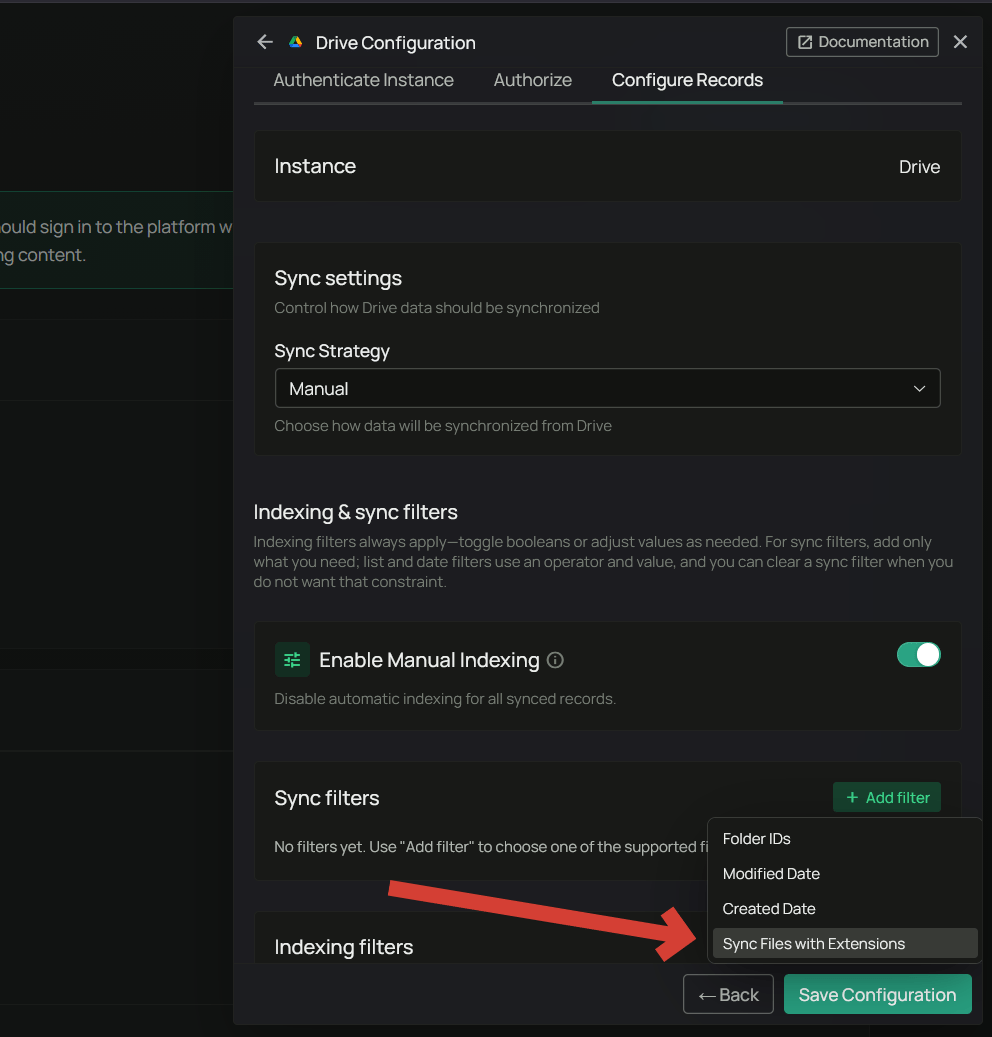
Google Slides is not a standalone connector currently. Presentations in Google Slides stored in Drive are synced through the Google Drive connector. Use the Sync Files with Extensions sync filter on the Drive “Configure Records” page to sync only presentations.
How to sync Google Slides
- You can set up the Google Drive connector by following this guide (Enterprise or Individual).
- Once the drive connector instance is authenticated go to its Configure Records page.
- Under Sync Filters, add Sync Files with Extensions.
- Set the operator to In.
- Select the following presentation types:
Google Slidespptxppt
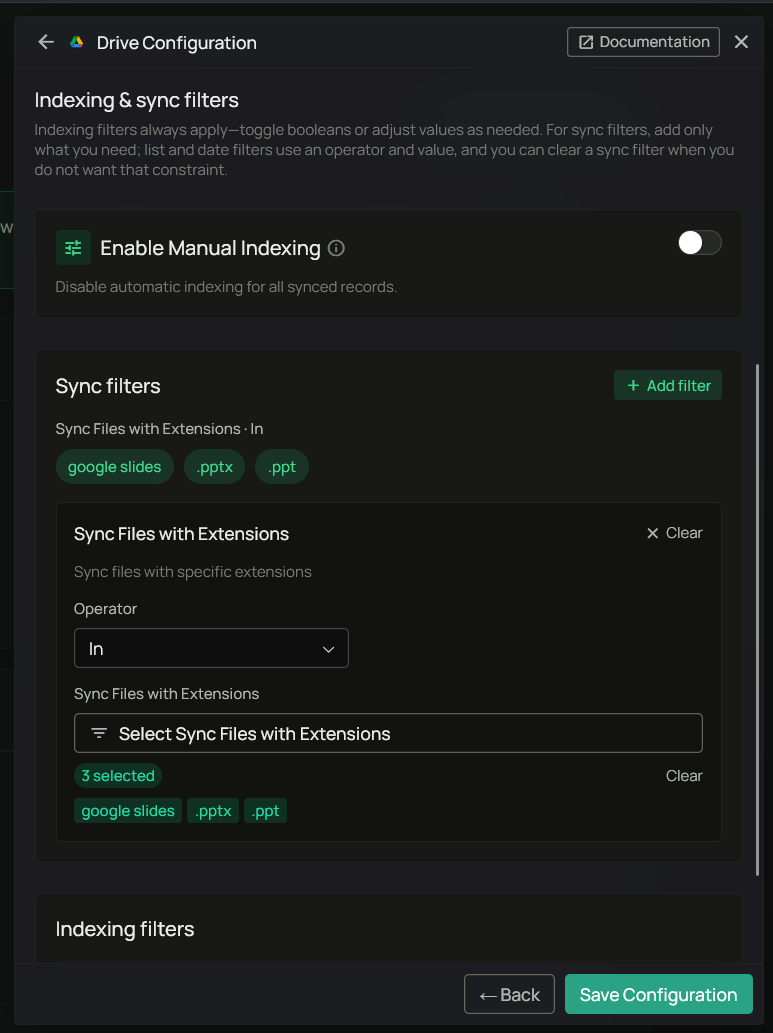
The “In” operator syncs only the extensions you select. If you leave Sync Files with Extensions unset, Drive will sync every file type, including presentations.