
Default Embedding Model
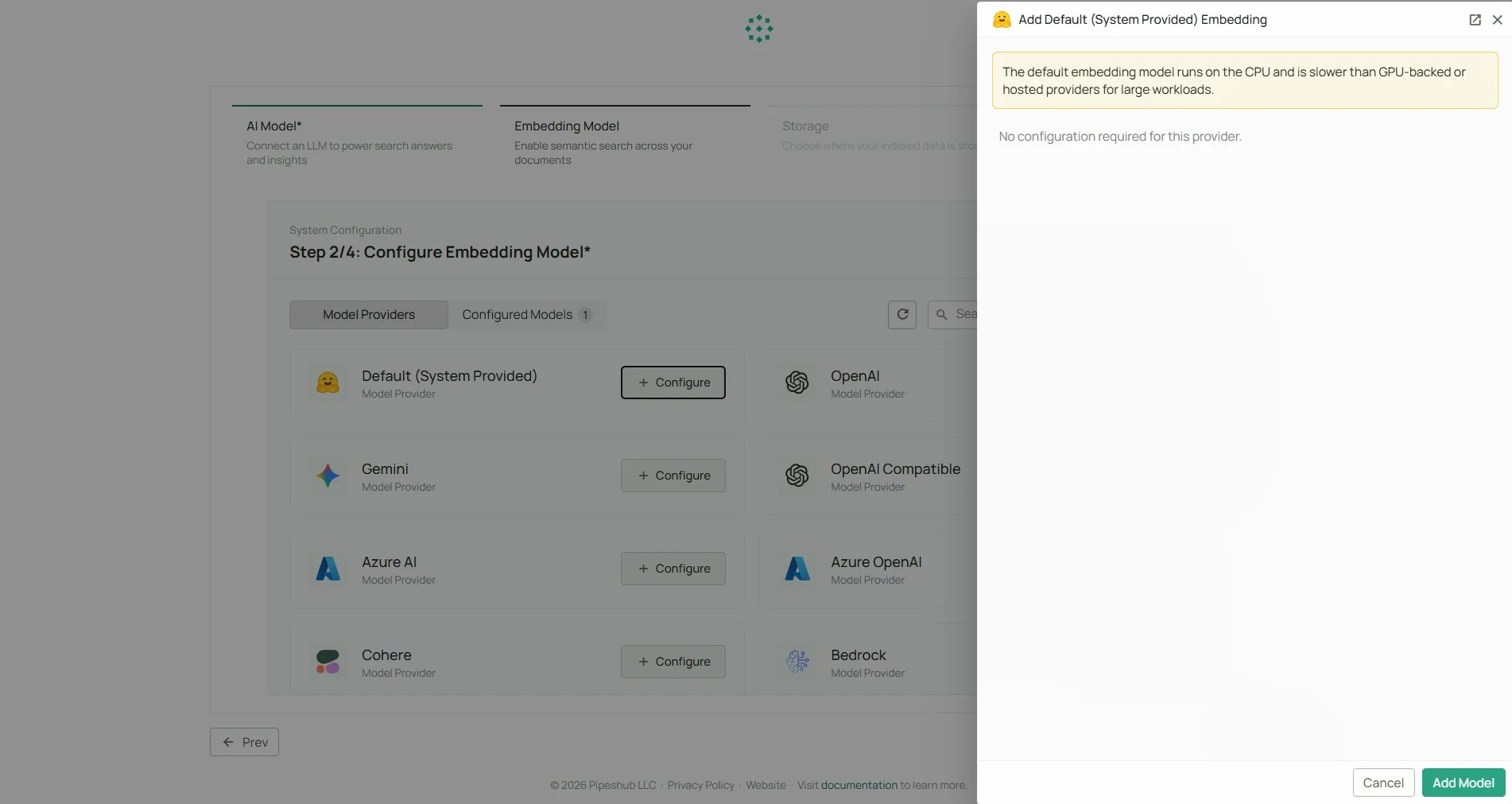
No Configuration Required
This is the only embedding provider that requires no credentials. Simply click Configure on the Default provider card and click Add Model to activate it as your embedding model.No API key or external service is needed. The model runs locally inside PipesHub.
About BAAI/bge-large-en-v1.5
BAAI/bge-large-en-v1.5 is developed by the Beijing Academy of Artificial Intelligence (BAAI). It is one of the highest-performing models on the Massive Text Embedding Benchmark (MTEB) and is optimised for semantic search and document retrieval in English. Key characteristics:- 1024-dimensional embeddings
- Optimised for semantic search and document retrieval
- Runs entirely inside your PipesHub instance — data never leaves your infrastructure
- No usage costs or rate limits
Configuration Steps
- Click Configure on the Default (System Provided) provider card
- Optionally set a Model Friendly Name for this configuration
- Click Add Model to activate the model
This provider has no required fields. It works immediately after clicking Add Model.
Usage Considerations
- No external API calls are made — all embedding happens locally
- No API key or billing setup required
- Processing speed depends on your PipesHub server’s available CPU/memory
- Best suited for English-language content
When to use an external provider instead
Consider connecting an external embedding provider if you need:- Multilingual embedding support
- Higher-dimensional vectors for specialised retrieval tasks
- A specific model your organisation has standardised on