

















OpenAI Configuration
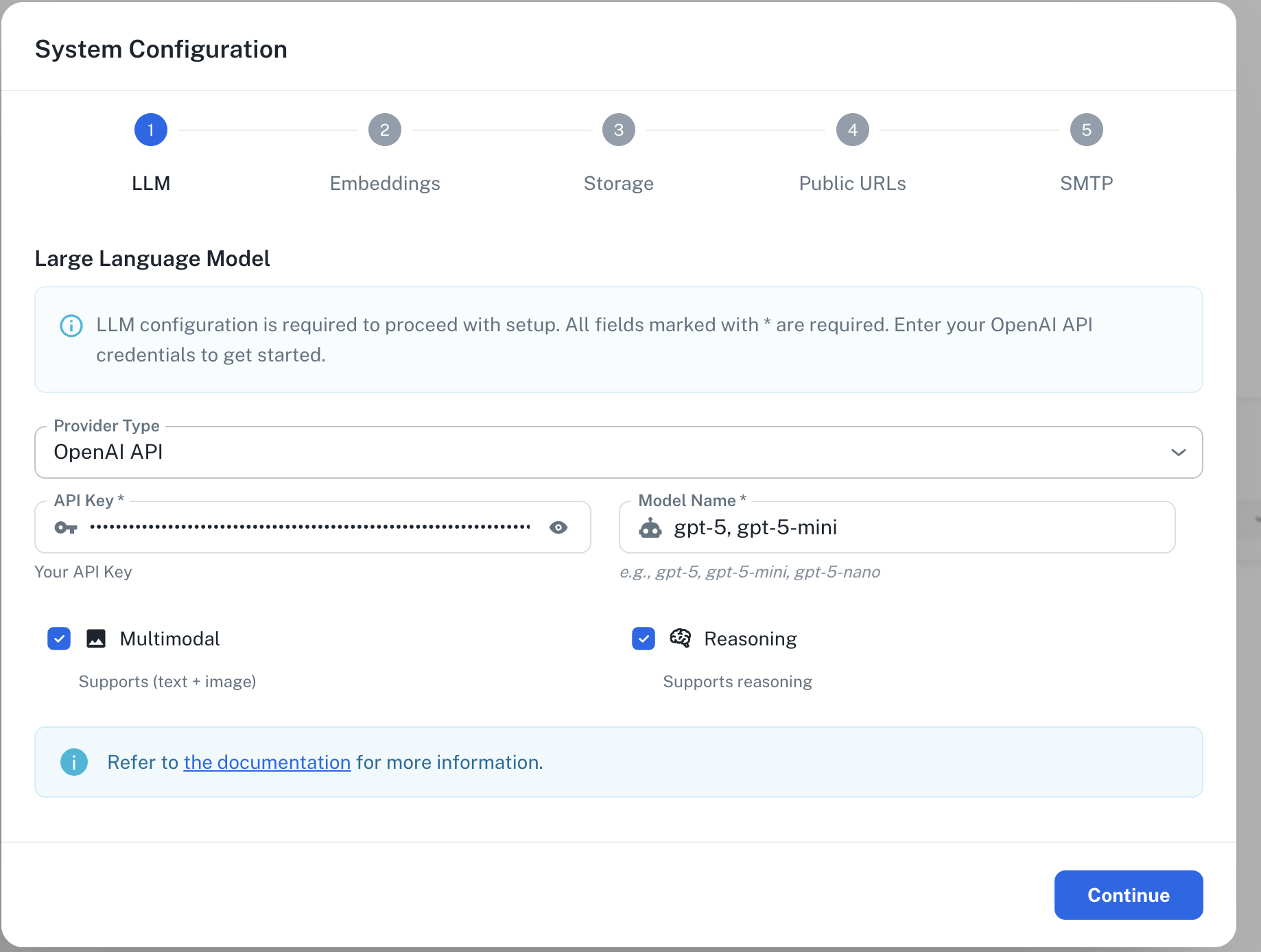
Required Fields
API Key
The OpenAI API Key is required to authenticate your requests to OpenAI’s services. How to obtain an API Key:- Log in to your OpenAI account
- Navigate to the API section
- Create a new secret key
- Copy the key immediately (it will only be shown once)
Model Name
The Model Name field defines which OpenAI model you want to use with PipesHub. Popular OpenAI models include:gpt-5.2- OpenAI’s latest and most advanced model, and the best for coding and agentic tasks across domains.gpt-4o-mini- Faster, more cost-effective option for many use cases.gpt-5-nano- Fastest, most cost-efficient version of GPT-5.gpt-4.1- OpenAI’s powerful model for complex tasks not requiring advanced reasoning capabilities. It is well suited for problem solving across domains.
- For the latest features and best performance, select
gpt-5.2orgpt-4o-mini - For complex reasoning tasks and problem-solving, select
gpt-5.2 - For routine tasks and lower latency, select
gpt-4o-mini - For very low latency and cost effective tasks, select
gpt-5-nano - Check OpenAI’s model documentation for the most up-to-date options
Configuration Steps
As shown in the image above:- Select “OpenAI” as your Provider from the dropdown
- Enter your OpenAI API Key in the designated field (marked with *)
- Specify your desired Model Name (marked with *)
- Click “Continue” to proceed with setup
The system configuration interface clearly indicates which fields are required with an asterisk (*). Both the API Key and Model Name are required fields to successfully configure OpenAI integration.
Usage Considerations
- API usage will count against your OpenAI account’s quota and billing
- Different models have different pricing - check OpenAI’s pricing page for details
- Model capabilities vary - more powerful models may provide better results but at higher cost
Troubleshooting
- If you encounter authentication errors, verify your API key is correct and has not expired
- Ensure your OpenAI account has billing set up if you’re using paid models
- Check that the model name is spelled correctly and is available on your OpenAI account tier